Freelancer Starter Kit
For freelancers and solo service businesses landing and running clients.
- Freelance Services Agreement
- Invoice & Payment Tracker
- Proposal Template
- Non-Disclosure Agreement (NDA)
- Client Onboarding Checklist
Your whole paperwork system, set up for you: client folders, every SoloForms template, a records index that flags what's overdue, and one-step new-client automation.
Secure checkout by Stripe. Templates, not legal advice.
Natty walks through setup, adding a client, filling in a document and tracking what you're owed.
You get all three. Use one, or mix them.
Make a copy of the Hub spreadsheet and click Set up my system. It builds your Business folder in Google Drive and installs every template as a Google Doc. New client creates the client's folders, copies the documents you pick with their name and address filled in, and logs them in the index.
The complete folder system with all 16 templates already filed, an Excel records index, and New-Client scripts for Windows and Mac that create a client folder and file the right documents in one step. Works in OneDrive, SharePoint or plain folders, with an optional Power Automate flow.
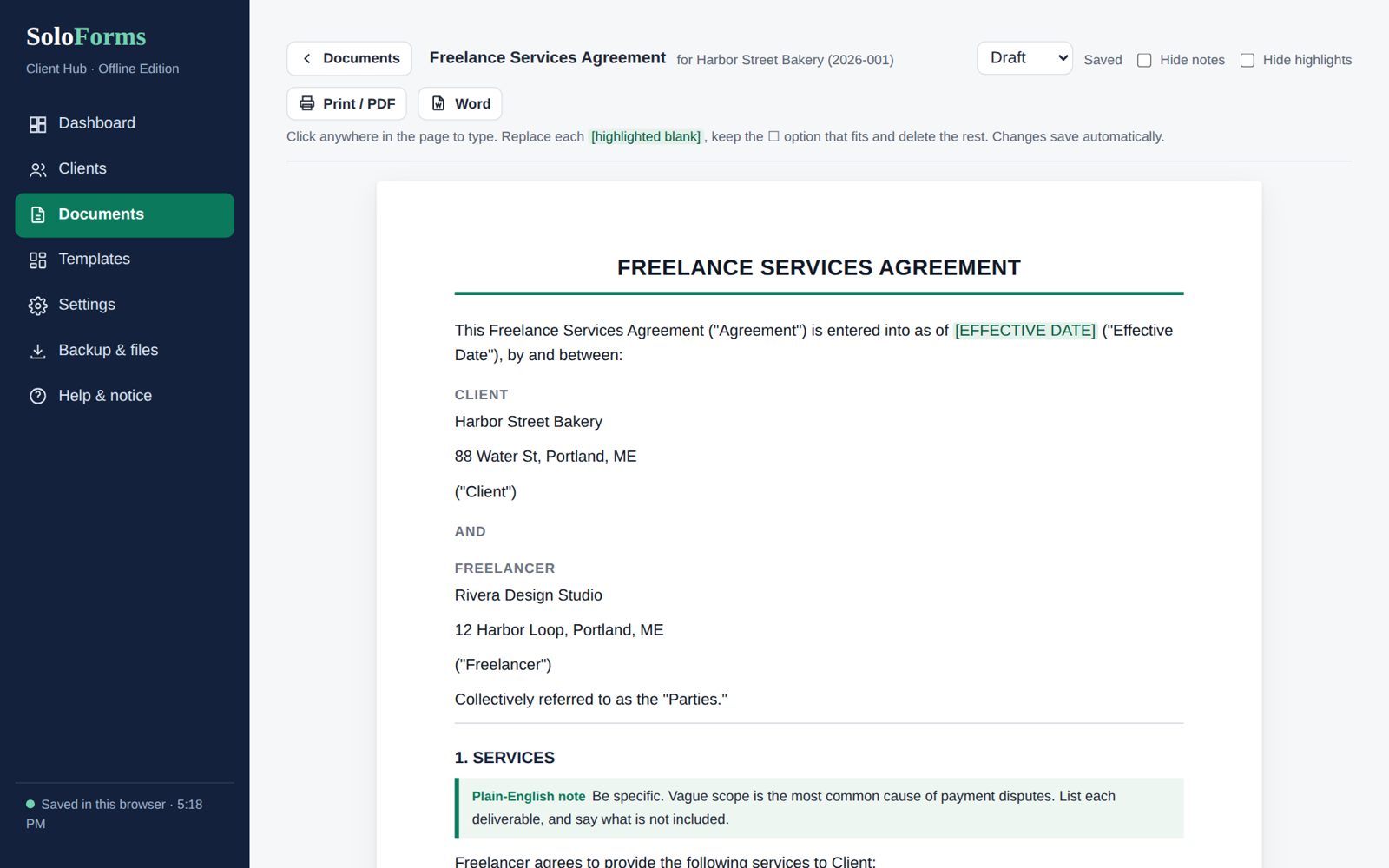
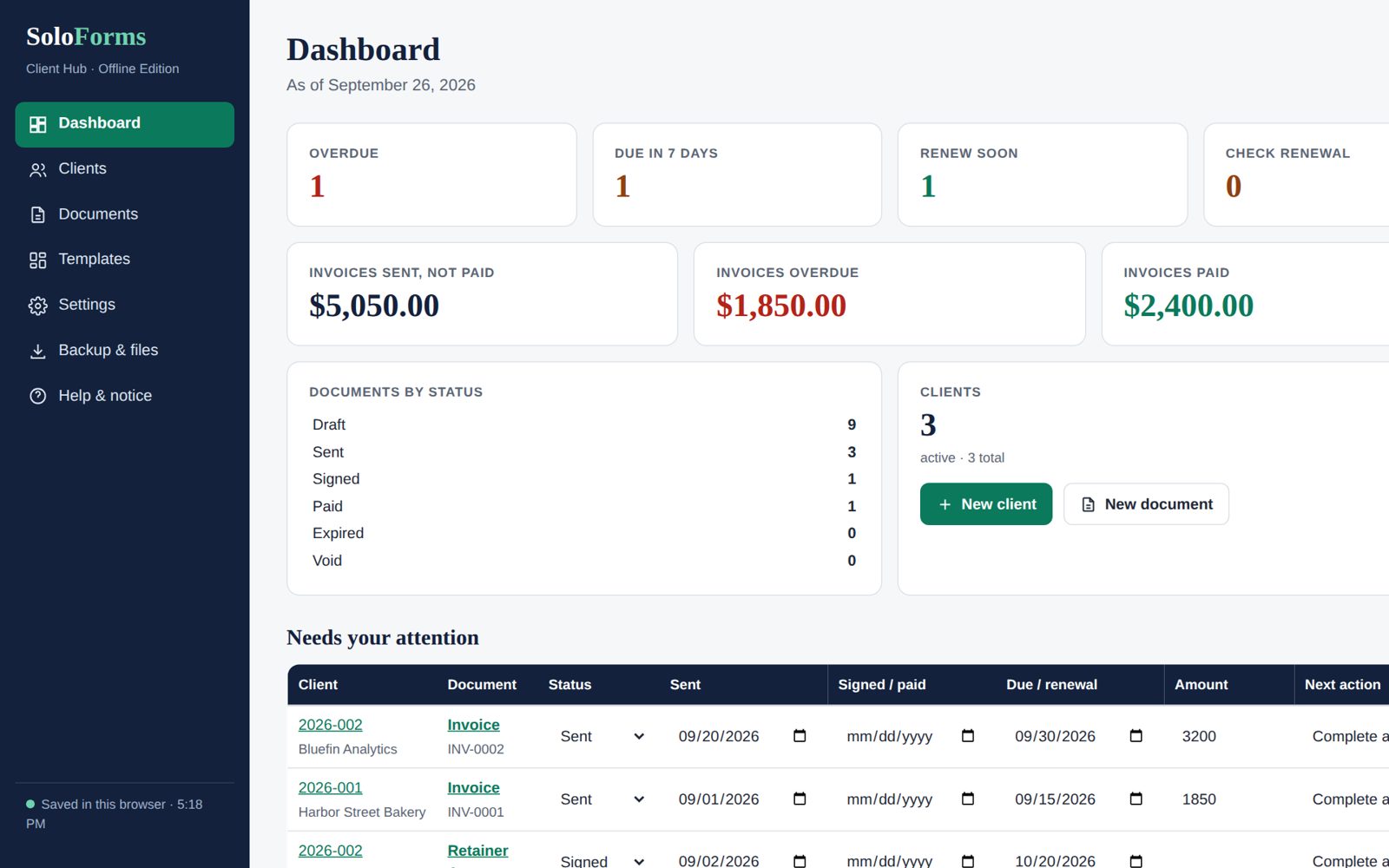
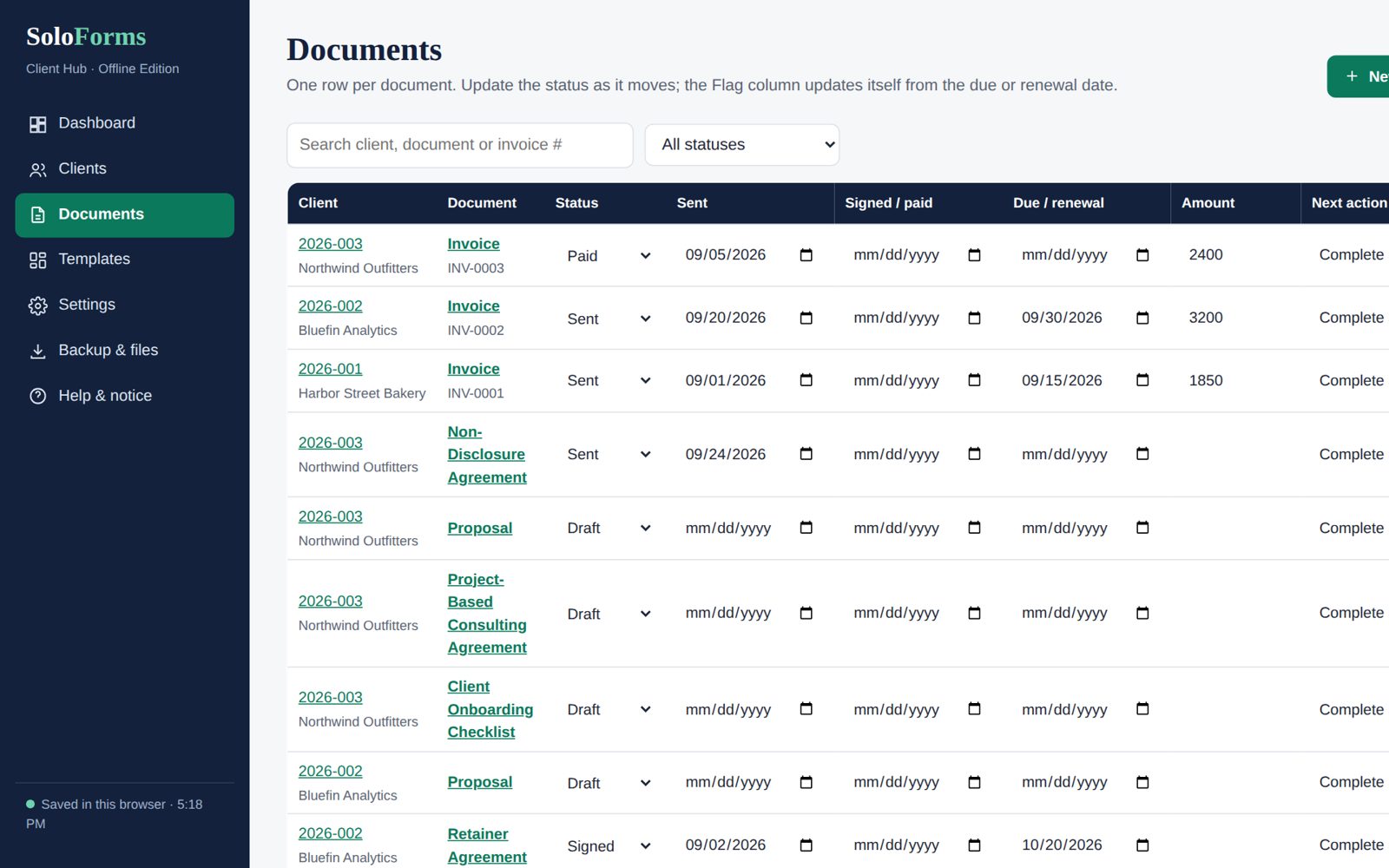
One file that opens in your browser: clients, all 16 templates as fill-in documents, status tracking, overdue flags and a money dashboard. Print to PDF or download Word. Your data stays on your computer, with backup and restore.
Screens from the offline edition. The Google edition does the same in Google Sheets and Drive.


Every agreement, form and tracker from the Complete Business Kit, built in. You don't need to buy a kit as well.
One row per document. Overdue, Due in 7 days and Renew soon flags, plus a dashboard of what you're owed.
Twelve ready-to-paste prompts for Gemini, Copilot, ChatGPT or Claude: fill a template from call notes, file documents, chase invoices and more.
About 15 minutes from download to your first client, whichever edition you use.
Copy the Google Hub, put the folder system in OneDrive or Documents, or open the offline app.
Your business name, address and contact details fill in the blanks in every document from then on.
Pick the agreement and extras. The folders, documents and index rows are created for you.
SoloForms templates are organized, well-drafted starting points. They are not a substitute for a lawyer, and we won't pretend otherwise. What they do is get you to a complete, sensible draft fast, so any review you pay for is quicker and cheaper.
No. The Client Hub includes all 16 SoloForms templates. If you'd like the Word and Excel kit files as well, the Complete Business Kit + Client Hub is $108, so the Hub costs $29 on top of the kit.
The one that matches where you already work: Google if you use Gmail or Google Workspace, Microsoft & desktop if you use Microsoft 365 or prefer files on your computer, and the offline app if you want everything in one place with no accounts. You get all three.
No. The Google edition works with a free Google account, and the Microsoft & desktop edition works with plain folders and Excel. Only the optional Power Automate flow needs a Microsoft 365 plan that includes it.
The Hub runs as a script inside your own copy of the spreadsheet, and Google shows a "hasn't verified this app" screen for scripts that haven't been through its app review. The setup guide walks you through it. The Hub only works inside your own Drive and doesn't send your data anywhere.
Yes. Everything lives in your own Google Drive, your own folders or your own browser. SoloForms never sees it.
No. The templates are well-organized starting points, and SoloForms is not a law firm. Have a licensed attorney in your state review important agreements before you rely on them.
Email [email protected] within 14 days of purchase for a full refund.
For freelancers and solo service businesses landing and running clients.
For consultants who price work in different ways: fixed fee, retainer, project or hourly.
Every SoloForms template, for when you want the whole set in one place.